 QRDKEY
Mobile access control with a dynamic QR code The key is on your phone.
And it works without signal.
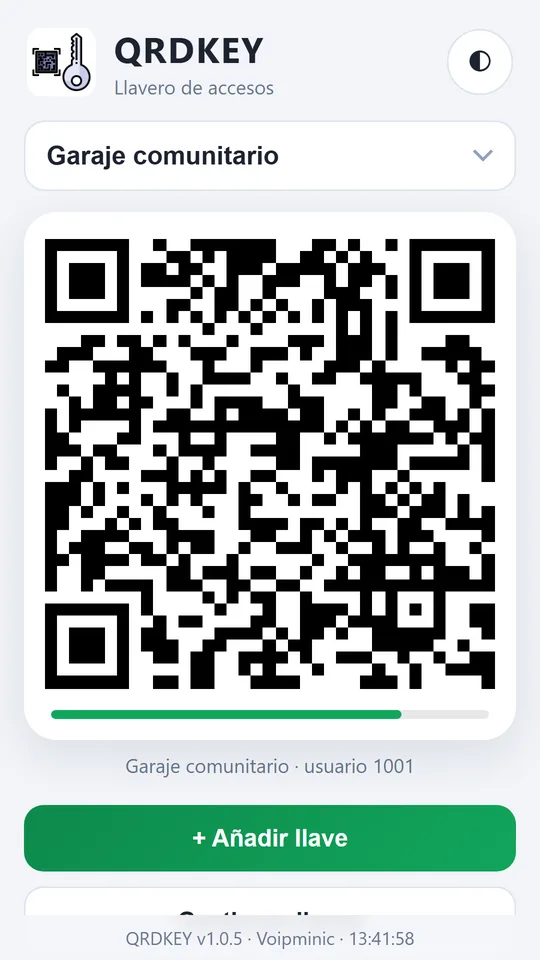
QRDKEY is an access key ring with a dynamic QR code: the code changes every few seconds, so a photo or a forwarded screenshot will not get anyone in. Car park, holiday home, office… all your keys in a single app, free.
Free on Google Play and the App Store · Android 7 or later, iPhone with iOS 15 or later · how to install it
In 3 steps
- The user installs the QRDKEY app, free of charge.
- The site manager sends them their key from the panel. The user scans the enrolment QR code and the key is stored on their phone.
- The user opens the door by showing the QR code, from the app or with a phone call.
Why QRDKEY
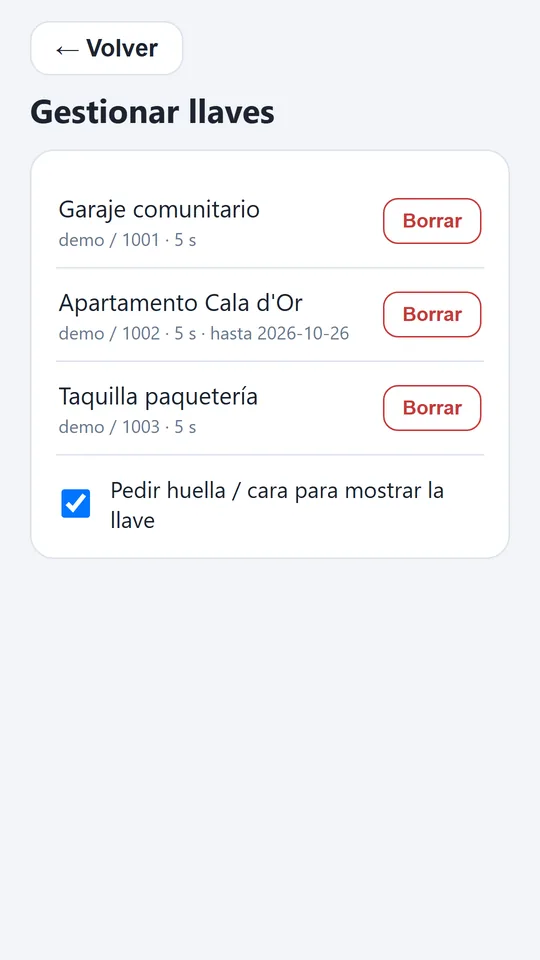
Privileges per key
Which doors it opens, on which days and at what times, until what date, or just once.
Keys don't get lost
They live on the phone, protected by fingerprint or face. If the user changes phone, the site manager simply sends the key again.
No keys or remote controls to copy
There is no remote control to clone, and the QR code changes every few seconds.
Instant revocation
The site manager withdraws access whenever they wish: the key stops opening instantly, with nothing to collect.
Holiday rentals
Send the key to your home before your guests arrive and revoke access when they leave, or let it expire by itself on check-out day.
Entry and exit log
Who came in, through which door and when.
The app: free for whoever opens the door
Keys are stored only on your phone and the code is computed on the device itself. No accounts or passwords to remember. For Android and iPhone.
A QR code that changes by itself
The code is renewed every few seconds. A photo or a forwarded screenshot expires straight away.
Offline
The code is generated on the phone: it works in a basement or in the middle of the countryside. Keys never leave the device.
All your keys together
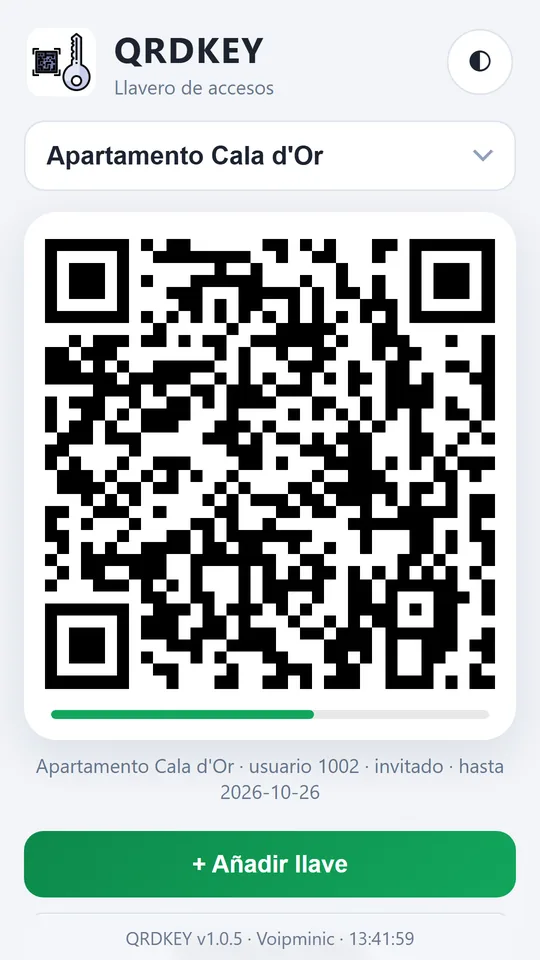
Car park, holiday home, office… several sites in a single app.
Guest keys
With an expiry date for stays and visits, and single-use for parcel deliveries.
Enrolment in a moment
Scan the enrolment QR code the site manager gives you with the app, or paste the link.
Fingerprint or face
The key is only shown after unlocking with your phone's biometrics.
No screenshots
The app blocks screenshots while a key is on screen.
Light and dark
It follows the system theme, even at night in front of the barrier.
What it looks like
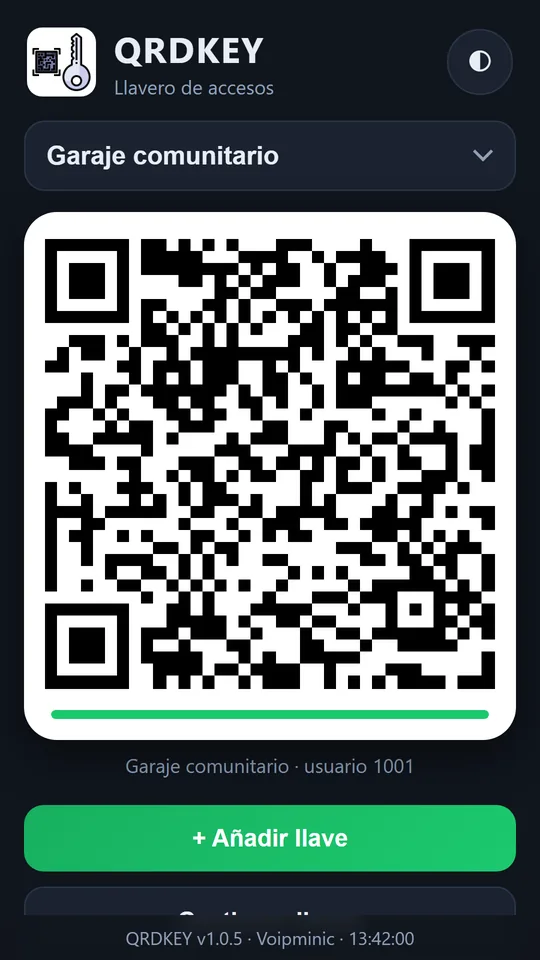
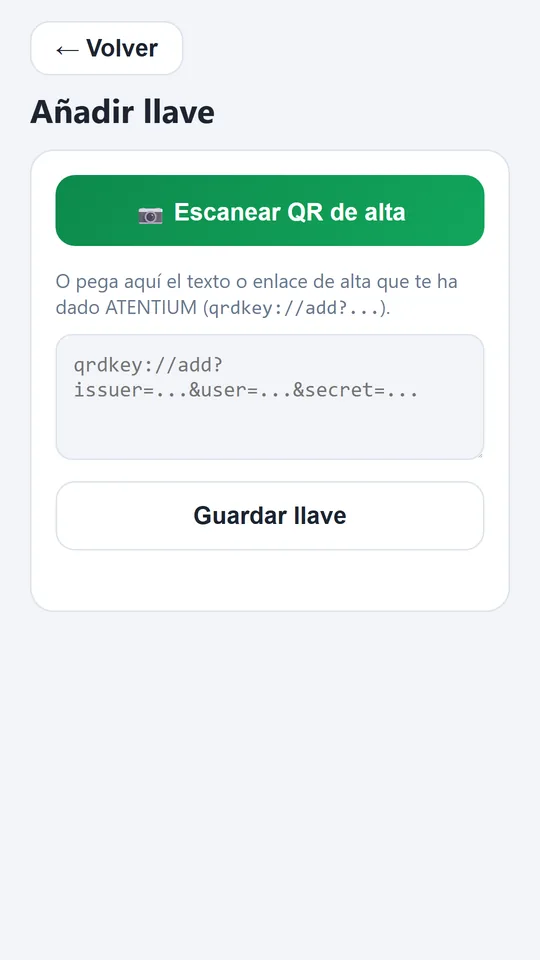
How it works
The app is free. What whoever manages the access installs is the controller at the door and the management panel.
QRDKEY app
Each user stores their key and shows the QR code to the reader. No signal needed, no accounts. Android and iPhone.
QRDKEY controller
It connects to any existing barrier, door or lock: 100 % compatible with what is already installed, without replacing the barrier or the control unit. QR/RFID reader, Ethernet and WiFi.
Management panel
Issue and revoke keys instantly, schedules, RFID cards, guests and a log of every opening.
Four ways to open
Dynamic QR code
From the app, with a code that changes every few seconds.
From the app
Open without showing the QR code, with a single tap.
RFID card
For those who prefer a card or a physical fob.
Phone call
If the calling number is authorised, it opens.
Use cases
Tap a sector to see how QRDKEY solves it. Its page has the problem, an example and the video.
Communities of ownersCommon areas with controlled access and an entry and exit log
With QRDKEY
Each resident installs the free app and the administrator sends them their key. Each key has its own privileges: garage and main entrance all year round, pool only in season and during its opening hours, gym from 7 am to 11 pm. Every entry and exit is recorded in the panel.
Car parks and garagesNo remote controls to lose or copy
With QRDKEY
Each user carries their key on their phone, with a QR code that changes every few seconds. From the management panel you issue and revoke keys instantly, with schedules and a log of every opening. The controller connects to the barrier you already have.
Holiday rentalsSend the key before your guests arrive and revoke access when they leave
Send the key to your holiday home before your guests arrive. Revoke access when they leave.
With QRDKEY
Each guest receives a guest key in the free app, valid from check-in to check-out. The QR code changes every few seconds and works offline. When the stay ends, the key expires by itself.
Hotels and rural hotelsKeys without cards or a staffed reception
With QRDKEY
Each person carries their key on their phone, with a free app. The QR code changes every few seconds and works offline. From the panel, keys are issued and revoked instantly, with a schedule and a log of every opening.
Offices and coworking spacesThe key you revoke in one click
With QRDKEY
Each person carries their key in the free app. From the panel you issue and revoke keys instantly and set schedules. Visitors receive a guest key with expiry or a single-use one.
Logistics and parcel deliveriesFirst-time deliveries, without waiting for someone to open
With QRDKEY
Each courier carries on their phone a guest key with expiry, or a single-use one, and opens the barrier or the parcel room without waiting for anyone. The permitted hours are set in the panel and every opening is logged.
Industry and industrial estatesA site barrier with no waiting and no lost keys
With QRDKEY
Each authorised person carries their key in the free app. From the panel you issue and revoke keys instantly, set schedules per shift or per contractor and check the log of every opening.
MarinasPontoons open 24 hours a day, with no cards to lose
With QRDKEY
The marina issues a guest key with expiry from the panel. The skipper keeps it in the free app and opens with a dynamic QR code, which works even when there is no signal on the quay. When the stay ends, the key expires by itself.
Yacht clubsPontoons for members only, with their key on their phone
With QRDKEY
The member installs the free app and the club sends them their key. Each key has its own access privileges: their pontoon and not the others, the club's changing rooms and car park, all year round or only in season. The club revokes access whenever it wishes, from the panel.
Gyms and 24-hour courtsUnstaffed and with no cards to lend out
With QRDKEY
The member gets in with a QR code that changes every few seconds, so a forwarded photo is useless. From the panel, the club issues or revokes keys instantly, sets schedules and sees who opened and when. The controller connects to the door, turnstile or lock already in place.
Self-storageEach customer with their own key, and only while they pay
With QRDKEY
Each customer carries their key in the free app. The key is issued when they sign up and revoked the moment they stop paying, with schedules and a log of every opening.
Cleaning services in private homesWithout handing over your house keys, and knowing when the cleaning was done
With QRDKEY
The cleaner carries on their phone a key to the house that only opens during the agreed hours, for example Tuesdays from 9 am to 1 pm. Every opening is logged: the owner sees the day and the time they came in. If the person or the company changes, you revoke the key instantly and send another. The controller connects to the lock or the intercom already in place.
Full use case and video: Cleaning services in private homes →
Remote sitesTowers, water tanks and huts without driving out to hand over keys
With QRDKEY
Each technician carries on their phone a key that only opens that site, and only on the dates of the job. The QR code is calculated on the phone itself, with no data or wifi, so it opens even where there is no coverage. The controller connects to the lock or door already in place, and every opening is logged.
Installing the app
QRDKEY is free on Google Play and the App Store:

- On your phone, open QRDKEY on Google Play (Android) or QRDKEY on the App Store (iPhone) and tap Install (on iPhone, Get).
- Open QRDKEY and tap Añadir llave (Add key) with the QR code or the link the site manager gave you.
On Android, if you previously installed the version downloaded from this website, uninstall it first and then install the one from Google Play.
Frequently asked questions
Does it work without signal?
Yes. The QR code is generated on the phone itself, so you need no data or Wi-Fi to open: it works in a basement or on a pontoon.
Can the key be copied or forwarded?
It's useless: the QR code changes every few seconds and the key only shows after unlocking with fingerprint or face. On Android, the app also blocks screenshots.
Do I need to replace my barrier or door?
No. The QRDKEY controller connects to the barrier, door or lock you already have, without replacing the control unit.
What if someone doesn't want to use the QR code?
They can open from the app, with an RFID card or by calling from an authorised number.
How much does it cost?
The app is free for whoever opens the door. The controller and the management panel are paid: we'll prepare a proposal based on your entrances and users.
Where are the keys stored?
Only on your phone, and the code is calculated on the device itself. There are no accounts or passwords to remember. More details in the privacy policy.
Contact
Tell us what you want to open with QRDKEY and we will prepare a proposal: a demo, a quote or more information. We reply within one working day.
Thank you. We have received your request and will reply within one working day.
It could not be sent. Check the highlighted fields or write to us at info@voipminic.com.
You have sent several requests in a row. Please wait a while or write to us at info@voipminic.com.
QRDKEY is a product of VOIPMINIC S.L.U. (voipminic.com).